


Gembet Account Recovery: 7 Proven Steps to Restore Secure Access
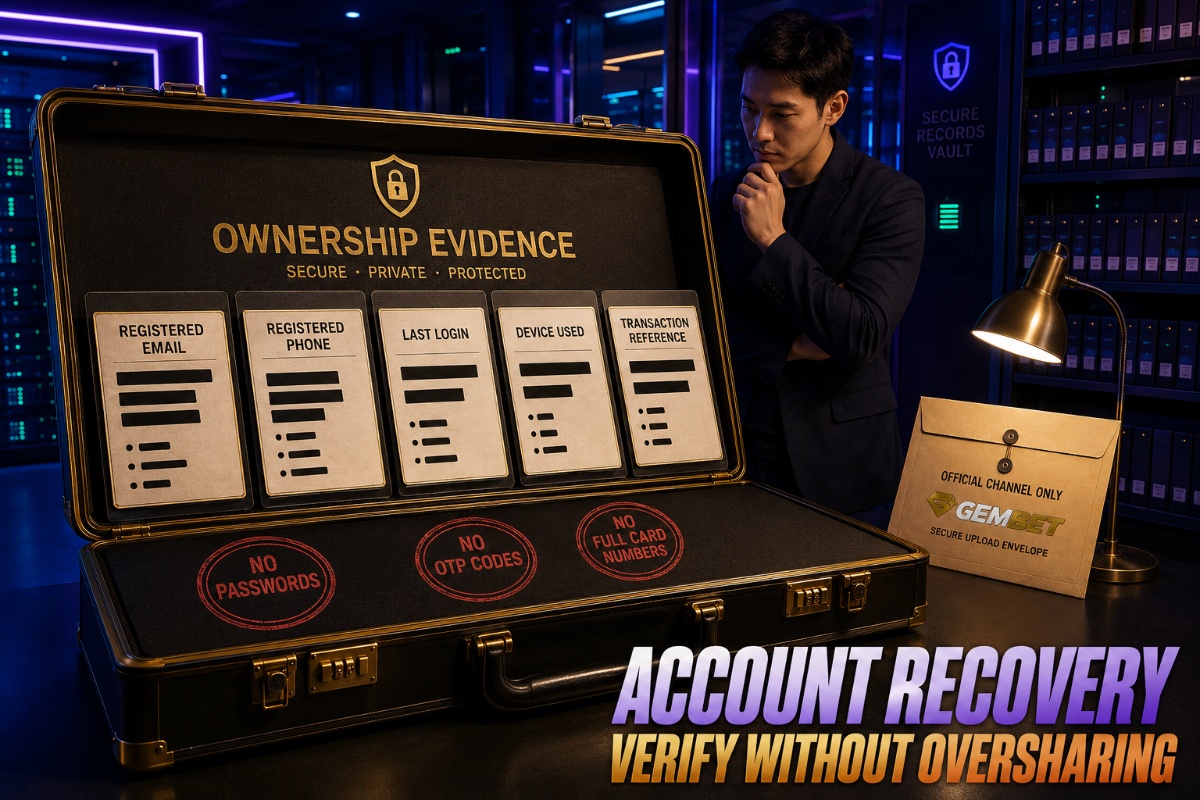
Account recovery should begin by identifying exactly what failed: the password, registered email, phone number, one-time code, trusted device, or identity-verification step. Gembet account recovery should not begin with repeated guessing, duplicate registration, or sending personal documents through an unverified channel.
This guide treats account recovery as a security incident rather than a basic login inconvenience. The objective is to restore legitimate access while protecting personal data, transaction records, and the communication channels connected to the account.
Before proceeding, confirm that you are using the official website or app and that the service is among the lawful options available to you.
Why a Locked Account Creates More Than a Password Problem
A failed login can create urgency, particularly when a balance, pending withdrawal, or promotion is involved. That pressure can lead users to click unofficial links, share sensitive information, or create another profile.
A safer account recovery response begins with three questions:
- What changed immediately before access failed?
- Which registered contact method is still under your control?
- What evidence can confirm ownership without exposing unnecessary data?
The problem may be a forgotten password, expired code, browser issue, changed phone number, temporary lock, or incomplete account verification. Similar symptoms can come from different causes, so the exact error message matters.
Stage One: Capture the Exact Failure
Write down the message displayed, the time it appeared, and the action that triggered it. Do not describe every problem only as “I cannot log in.”
Separate the issue into one of these categories:
- Credential issue: the email, username, or password is rejected.
- Code issue: the one-time code is delayed, expired, or missing.
- Device issue: one browser or device cannot complete the login.
- Verification issue: documents or profile details do not match.
- Restriction issue: the profile has been locked or placed under review.
Accurate notes make account recovery easier because official support can investigate a specific event instead of guessing what went wrong.
Never record your password, complete identity number, full payment-card details, card security code, or one-time code in screenshots or support messages.
Stage Two: Secure the Registered Email and Phone
The email address and phone number usually control password resets and security alerts. If either has been compromised, restoring the betting profile first could leave it vulnerable again.
Before continuing account recovery:
- Change the email password if suspicious activity appears.
- Enable two-factor authentication on the email account.
- Review recent email sign-ins and connected devices.
- Remove unfamiliar forwarding rules or recovery addresses.
- Confirm that the registered phone still receives ordinary messages.
If you cannot access the registered inbox, recover it through the email provider before requesting repeated sportsbook resets. A reset link sent to an exposed email address does not provide secure account access.
Stage Three: Use the Official Reset Route Once
Open the platform through a verified bookmark, a manually typed address, or the official app listing. Avoid account recovery links sent through unsolicited messages, social-media replies, group chats, or suspicious search advertisements.
A normal reset process may request:
- The registered email address
- The registered phone number
- A temporary security code
- A new unique password
- Additional ownership confirmation
Submit one request and allow reasonable delivery time. Repeated requests can invalidate earlier codes or trigger another temporary lock.
Check the spam folder, but never reply to an unknown sender with the new password or one-time code. Legitimate account recovery should not require sending either credential back by email.
Stage Four: Test the Device Before Escalating
Sometimes the account itself is working, but a browser, app, network, or saved session prevents access.
Use controlled troubleshooting:
- Close duplicate login tabs.
- Confirm the device date and time are correct.
- Update the browser or app.
- Restart the device.
- Clear only the platform’s stored cookies where possible.
- Try a trusted private connection instead of public Wi-Fi.
- Disable only extensions that interfere with scripts or cookies.
Do not use a VPN to imitate another location or bypass a restriction. That can generate additional security flags and may conflict with the platform rules or local law.
If account recovery succeeds on one trusted device but not another, document the difference before contacting support. It can help identify a device-specific fault.
Prepare a Clean Ownership File
When automated account recovery fails, official support may need enough evidence to connect the request to the existing profile.
Prepare one concise ownership file containing:
- Registered full name
- Registered email and phone number
- Approximate account-creation date
- Date of the last successful login
- Device type normally used
- Screenshot of the exact error
- Recent transaction reference where requested
Only provide the last four digits of a payment method when official support specifically requests them through a verified channel.
Never send a complete payment-card image, password, card security code, or one-time code. Identity documents should be uploaded only through the designated secure process.
Account recovery is more straightforward when the evidence is consistent. Different names, spellings, addresses, or payment ownership details may require a clear explanation.
Send One Useful Support Request
A long emotional message can hide the information needed to investigate. Use one organised account recovery request instead.
Subject: Unable to access my existing account
Hello Support,
I cannot access my existing profile using the registered email [email]. The error shown is “[exact error]”. My last successful login was approximately [date and time].
I have used the official password-reset route once, checked the registered inbox and spam folder, updated the browser, and restarted the device. I still control the registered email and phone.
Please confirm the secure steps and documents required to verify ownership and restore access. My existing reference number is [case number], where applicable.
Thank you.
Do not open several cases for the same account recovery problem unless support directs you to do so. Duplicate tickets can split the evidence across different agents.
Recognise Recovery Scams Before They Escalate
Scammers often contact users who publicly mention a locked account. Common warning signs include:
- A direct message from a supposed recovery specialist
- A promise of immediate access
- A request for an upfront fee
- A request for a password or one-time code
- A misspelled domain
- A demand to install remote-control software
- A request for cryptocurrency or gift cards
A legitimate account recovery process confirms ownership. It should not require surrendering control of your email, phone, device, or payment account.
Do not post unredacted screenshots in public groups. Hide names, addresses, QR codes, balances, transaction references, account numbers, and contact details.
Password Resets and Verification Reviews Are Different
A password reset can prove control of a registered communication channel, but it may not complete account verification.
Verification may still be required when:
- The registered name does not match a document.
- The document has expired.
- The uploaded image is unclear.
- The payment method belongs to another person.
- The address record is outdated.
Use current, readable documents that match the existing profile. When a legitimate difference exists because of marriage, transliteration, or another formal change, explain it through the official process.
Account recovery should restore the existing identity rather than create a second account.
Do Not Let a Promotion Override Security
Promotional deadlines may encourage rushed decisions, but security and accurate account information should come first.
If the offer is currently available and lawful, readers trying to clear the 250% welcome package should review its current eligibility, expiry, wagering, game-contribution, and withdrawal terms only after access has been restored securely.
Do not create another profile to restart a promotion. Duplicate registration can complicate account recovery, verification, balances, and withdrawal reviews.
Do not assume a promotion will be extended because access was interrupted. Ask official support which published rule applies.
Review the Account Immediately After Access Returns
Successful account recovery is not complete when the dashboard opens. Inspect the restored profile before making another transaction.
Review:
- Registered email and phone
- Linked payment methods
- Recent deposits and withdrawals
- Remembered devices or active sessions
- Communication preferences
- Responsible-play limits
- Any detail changed without permission
Change the password to a unique phrase that is not used on another website. Log out of unfamiliar devices and retain the support reference number.
If an unknown payment or withdrawal appears, stop using the profile and contact official support and the relevant payment provider through verified channels.
When the Case Needs Escalation
Ask for a security, payments, or verification review when:
- The registered email or phone changed without permission.
- An unknown transaction appears.
- The reset process sends information to an unfamiliar contact.
- The case remains unresolved beyond the stated timeframe.
- The restriction concerns compliance or responsible play.
Do not attempt to bypass a security lock, self-exclusion, age check, location rule, or compliance review. Those cases may require a different process from ordinary account recovery.
Use Account Recovery to Restore Control, Not Only Access
Account recovery works best as a controlled sequence: identify the failure, secure the registered communication channels, use the official reset route, test the device, prepare ownership evidence, contact one verified support channel, and rebuild security after access returns.
When using Gembet account recovery, confirm the official platform instructions directly. Verification methods, available channels, and required evidence may change, and account recovery cannot guarantee that a restricted profile will be reopened.
The purpose is to restore legitimate control without creating duplicate accounts, exposing sensitive records, or trusting unofficial intermediaries. Protect your email and phone, keep financial information private, and stop whenever a request appears suspicious.
Experience the real deal with SG's top Live Dealers. Play Baccarat, Roulette & more.

